
Contents:
1. Description
At times it has been required by your store or your client to take down some of the default implementation by OpenCart like removing/editing 'powered by Opencart links', 'wish list links', , 'product compare links', 'product return links'. In this blog we will discuss about those how to do it for your OpenCart store. Also for every customization i have written the vQmod and OCMod which are available for download.
p.s: please note that the code shown in the snapshot as well as in attached vQmod and OCMod are tested and based upon default OpenCart theme, and this might not work exactly if your OpenCart theme is heavily customized or is not based on the OpenCart HTML conventions. However with some tweak and trick we can make any theme to work as expected.
2. Remove 'powered by'
to remove “Powered by OpenCart” which has been placed on 3 places store front footer, admin footer and in email format. We will discuss on how we can remove those links manually by editing the openCart core files OR alternatively you can use the VQmod and OCmod available for both version.
2a. From backend/admin
You can see a text with a link shows 'Powered By OpenCart' in the footer which is shown in all admin/backend pages.
{root folder}>admin> view> template> common> footer.tpl
For OpenCart Version 1.5^

For OpenCart Version 2.0^

{root folder}>admin> language> {YOUR LANGUAGE}> common> footer.php

edit this line according to the need like, 'Maintained By devOdee.com'
2b. From frontend/UI
You can see a text with a link shows 'Powered By OpenCart' in the footer which is shown in all pages.
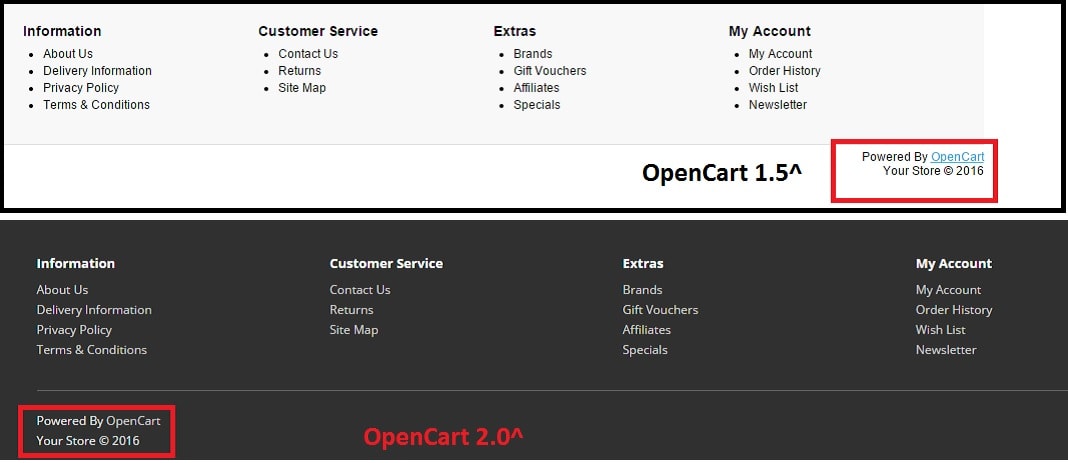
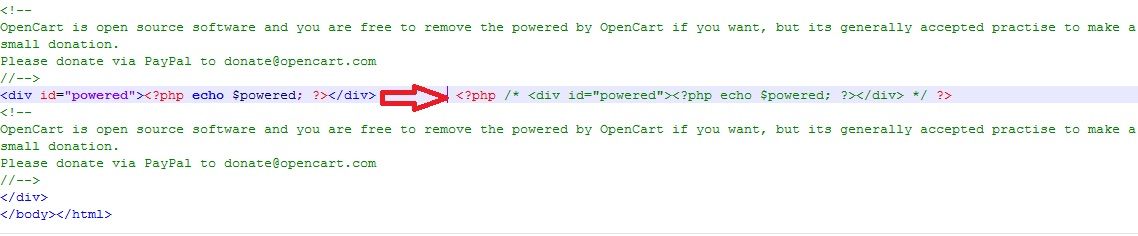
{root folder}>catalog > view > theme > {YOUR THEME} > template > common > footer.tpl
For OpenCart Version 1.5^
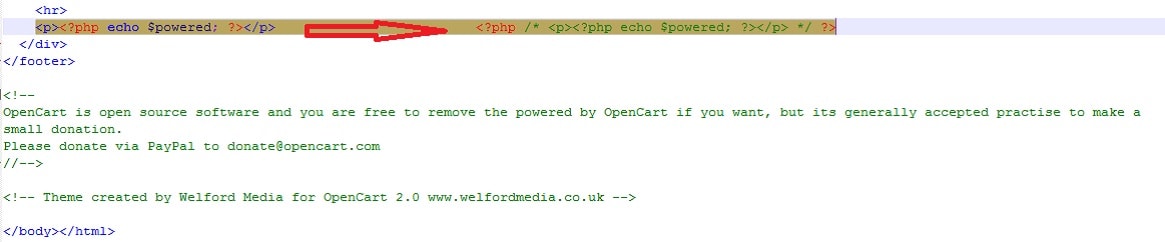
For OpenCart Version 2.0^
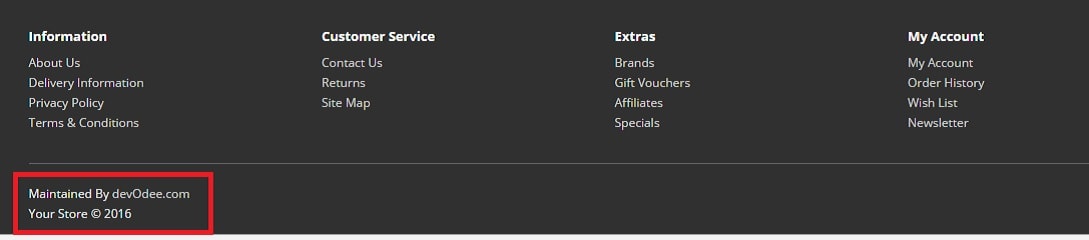
{root folder}>catalog > language > {your language} > common > footer.tpl

and we have changed footer test on storefront to say 'Maintained By devOdee.com'

2c. From e-mail format
When a order is placed, opencart send a automatic mail to the customer which details the product that has been purchased. In the same mail you can see the 'Powered by Opencart' text at the bottom.
{root folder}>catalog > view > theme > {YOUR THEME} > template > mail> order.tpl
 Or we can edit it like

and now the order placed mail will be sent out to customer with the text 'Thank You! for shopping with us' instead of 'powered by OpenCart'.
3. Remove 'product return' Links
to remove product “return” links which has been placed on 4 places store front footer, my account page, account module and in order list page. We will discuss on how we can remove those links manually by editing the openCart core files OR alternatively you can use the VQmod and OCmod available for both version.
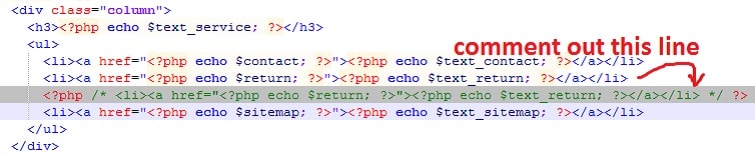
3a. From footer menu
{root folder}>catalog > view > theme > {YOUR THEME} > template > common > footer.tpl
3b. From account module
{root folder}>catalog > view > theme > {YOUR THEME} > template > module > account .tpl

3c. From my account page
{root folder}>catalog > view > theme > {YOUR THEME} > template > account > account .tpl

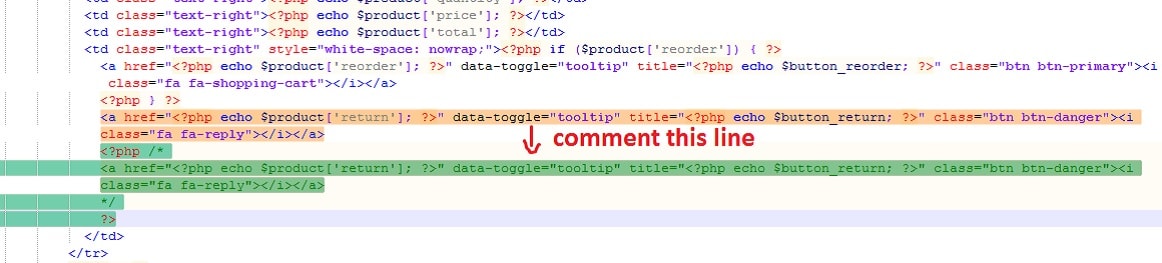
3d. From order info page
{root folder}>catalog > view > theme > {YOUR THEME} > template > account > order_info .tpl
4. Remove Wish List/Compare Links
We will discuss to remove opencart “WishList/Compare” links which has been placed on several places in the store front, manually by editing the openCart core files OR alternatively you can use the VQmod and OCmod available for both version.
4a. From header menu
{root folder}>catalog > view > theme > {YOUR THEME} > template > common > header.tpl
For OpenCart Version 1.5^

For OpenCart Version 2.0^

4b. From footer menu
{root folder}>catalog > view > theme > {YOUR THEME} > template > common > footer.tpl

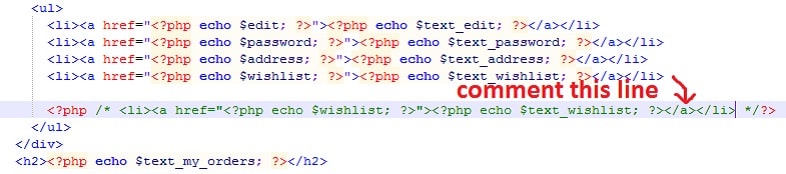
4c. From account module
{root folder}>catalog > view > theme > {YOUR THEME} > template > module > account .tpl

4d. From my account page
{root folder}>catalog > view > theme > {YOUR THEME} > template > account > account .tpl
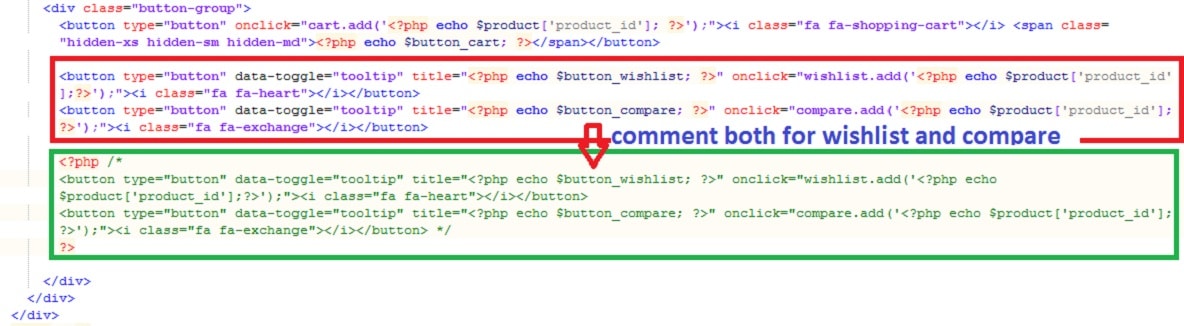
4e. From Product box [in bestseller,featured,latest,special] {with compare link}
{root folder}>catalog > view > theme > {YOUR THEME} > template > module > [bestseller/featured/latest/special] .tpl
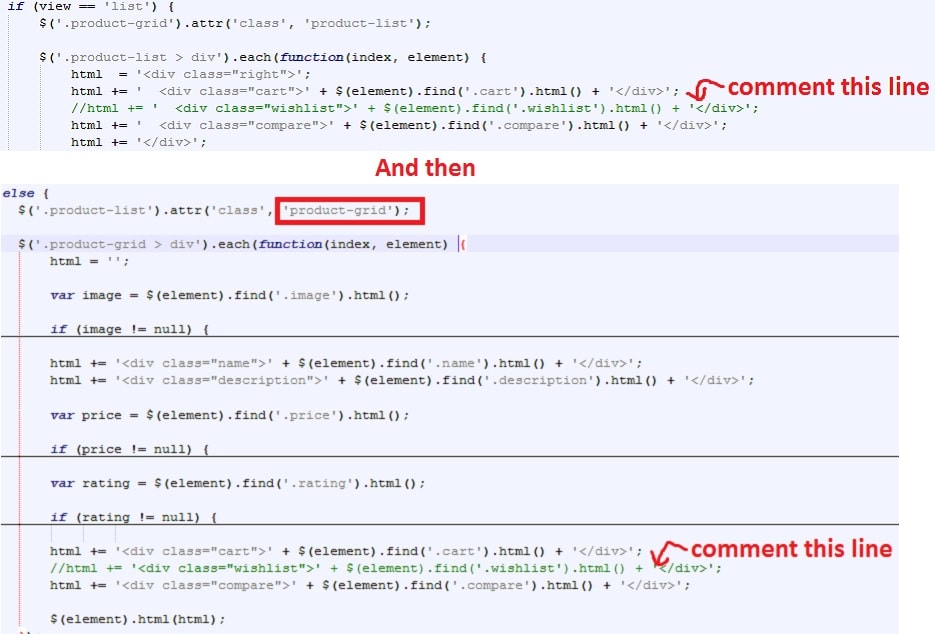
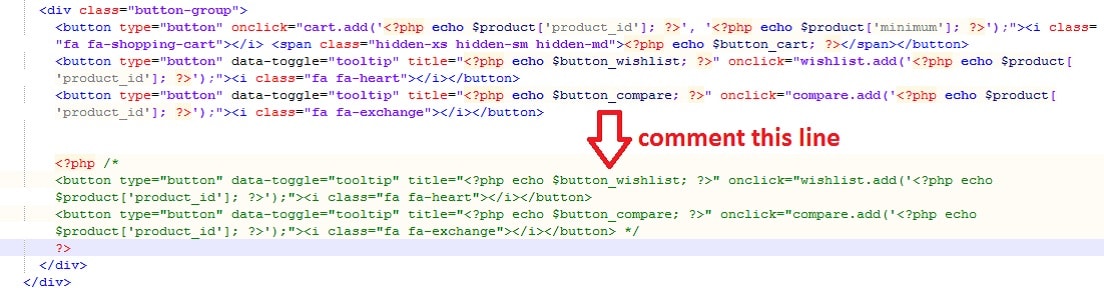
4f. From Product box [in category Page, search page and manufacturer page] {with compare link}
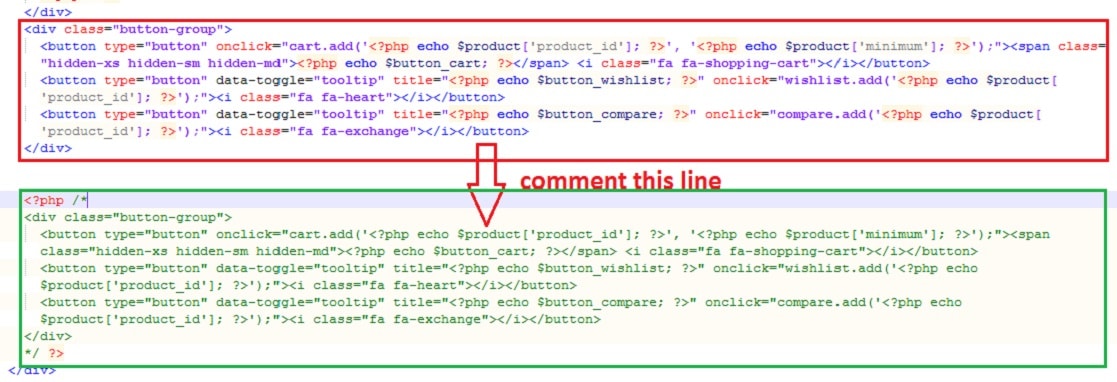
{root folder}>catalog > view > theme > {YOUR THEME} > template > product >[category/search/manufacturer_info] category.tpl
For OpenCart Version 1.5^

in opencart 1.5^ we also need to remove two javascript lines from the same fle which is available towards bottom,s o scroll down and find these two line , one for grid view and other is for list view.
For OpenCart Version 2.0^
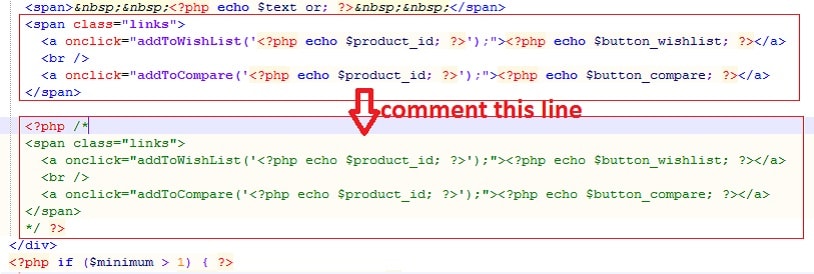
4g. From product page [in product Page] {with compare link}
{root folder}>catalog > view > theme > {YOUR THEME} > template > product > product .tpl
For OpenCart Version 1.5^
For OpenCart Version 2.0^
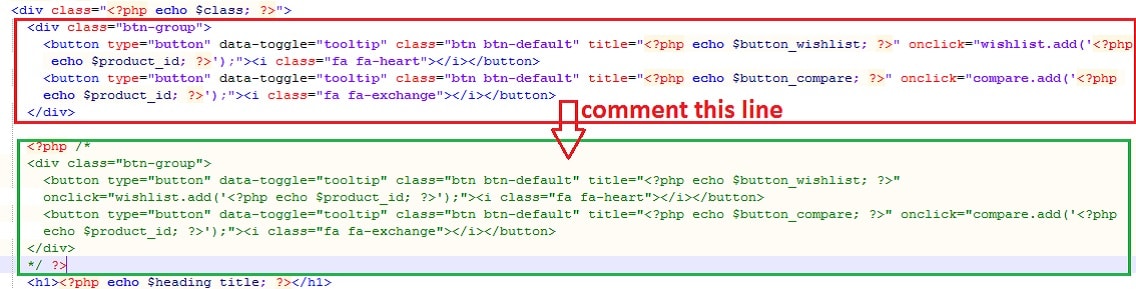
for related products on product page (only for Version 2.0^)
If you have any questions or suggestion for this blog, please leave a comment below. I will get back to you ASAP. For contacting me please use the site's Contact form or you can directly mail me contact@mamina-suman.com .